The Adventure Game Builder v2.0 Beta Is Here: Meet the Visual Canvas Builder
When we launched Alpha v1.0, we called it the beginning. When v1.5.x landed, we called it a promise kept. Today we’re calling this one what it is: graduation The Adventure Game Builder is out of Alpha and into v2.0 Beta, and it’s the biggest leap the platform has taken yet.
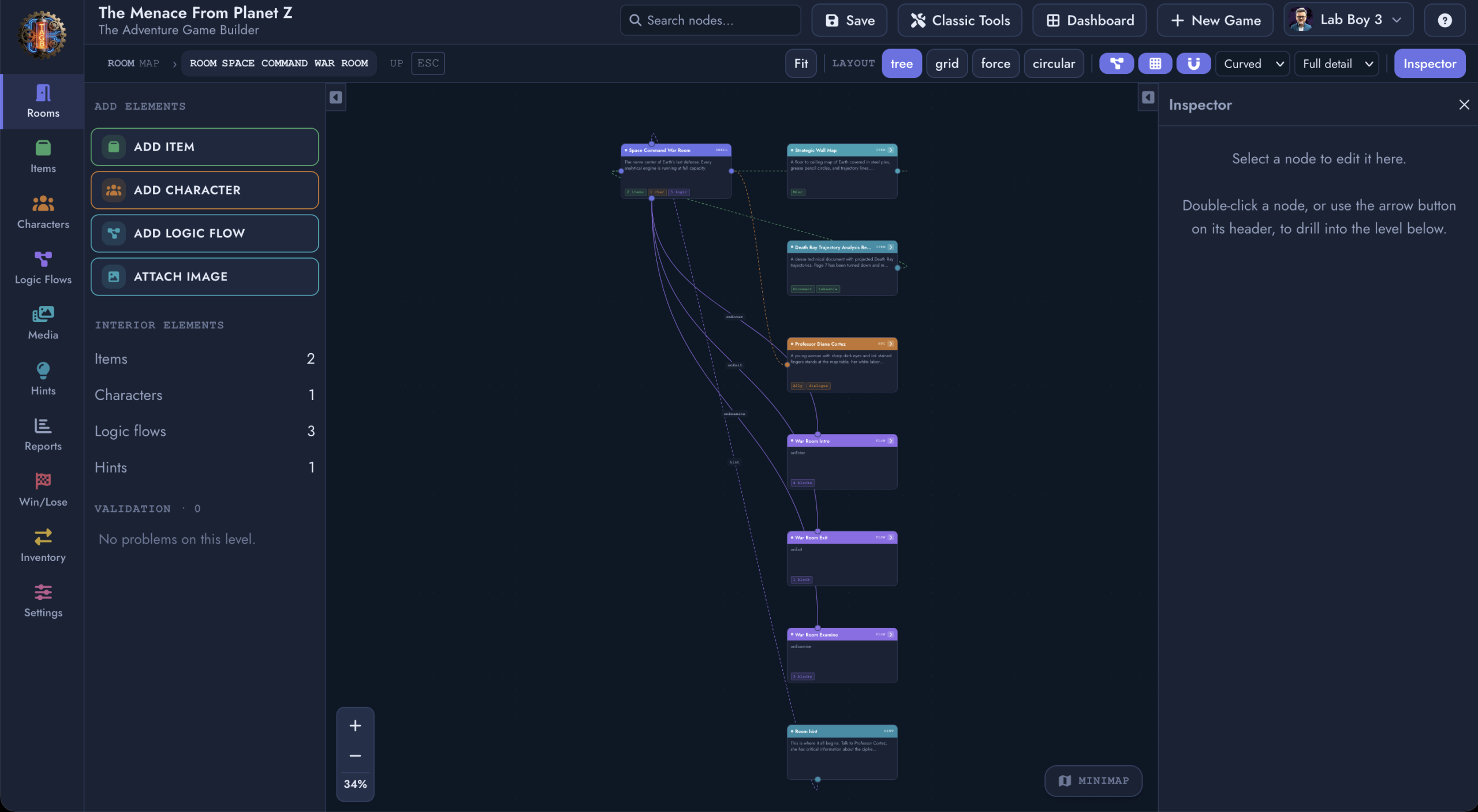
At the center of this release is a tool we’ve been building toward since day one: the Visual Canvas Builder, a node-based world graph editor that lets you see and shape your entire game the way it actually plays: as a living, connected map, not a stack of forms.
Here’s what’s new.
From Alpha to Beta: What “v2.0” Actually Means
Alpha was about proving the platform could do what no other tool does: combine a real parser engine, a full no-code build suite, and mobile licensing infrastructure in one place. It could. Design partners built real games with it, and The Menace From Planet Z shipped as proof.
Beta is about scale. It means the core systems are stable enough to build serious, complex games on, and it means we’re widening the door for studios, publishers, and creators who need a platform they can trust with production work. v2.0 Beta isn’t a new coat of paint. It’s a statement that the foundation is ready.
Introducing the Visual Canvas Builder
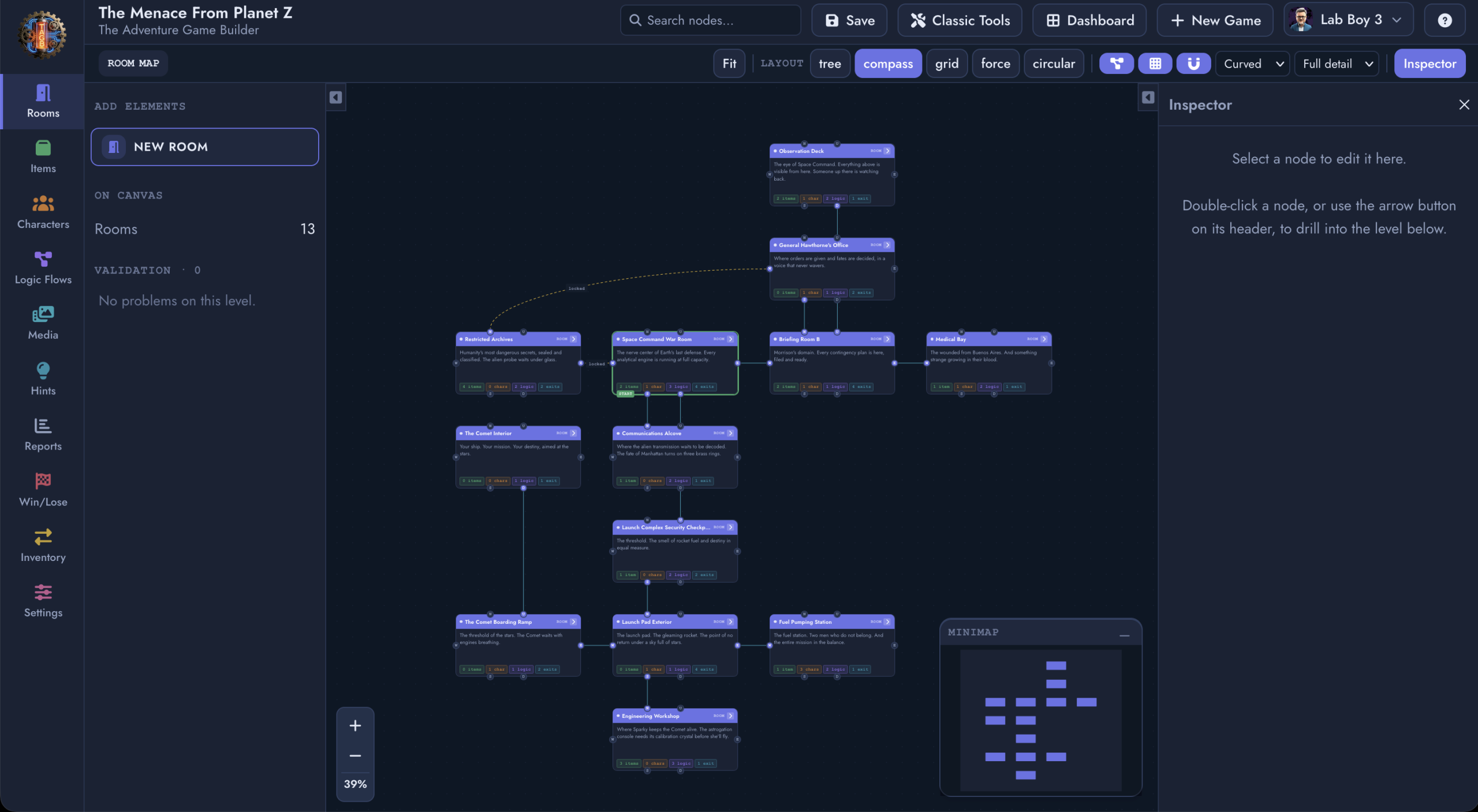
Every adventure game is secretly a graph: rooms connected to rooms, items connected to logic, characters connected to dialogue and consequence. Until now, you built that graph one form at a time and held the shape of it in your head. The Visual Canvas Builder puts the shape on the screen.
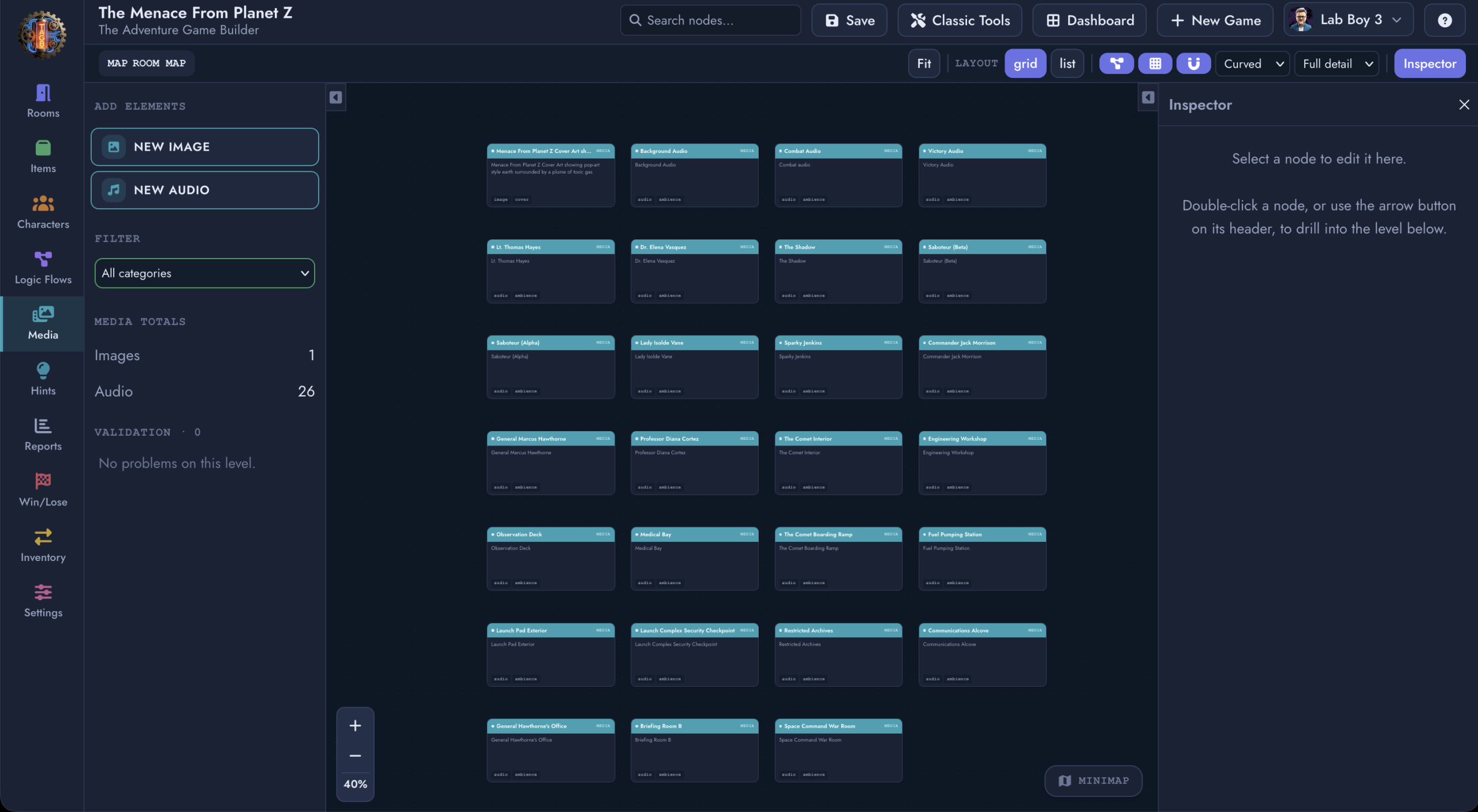
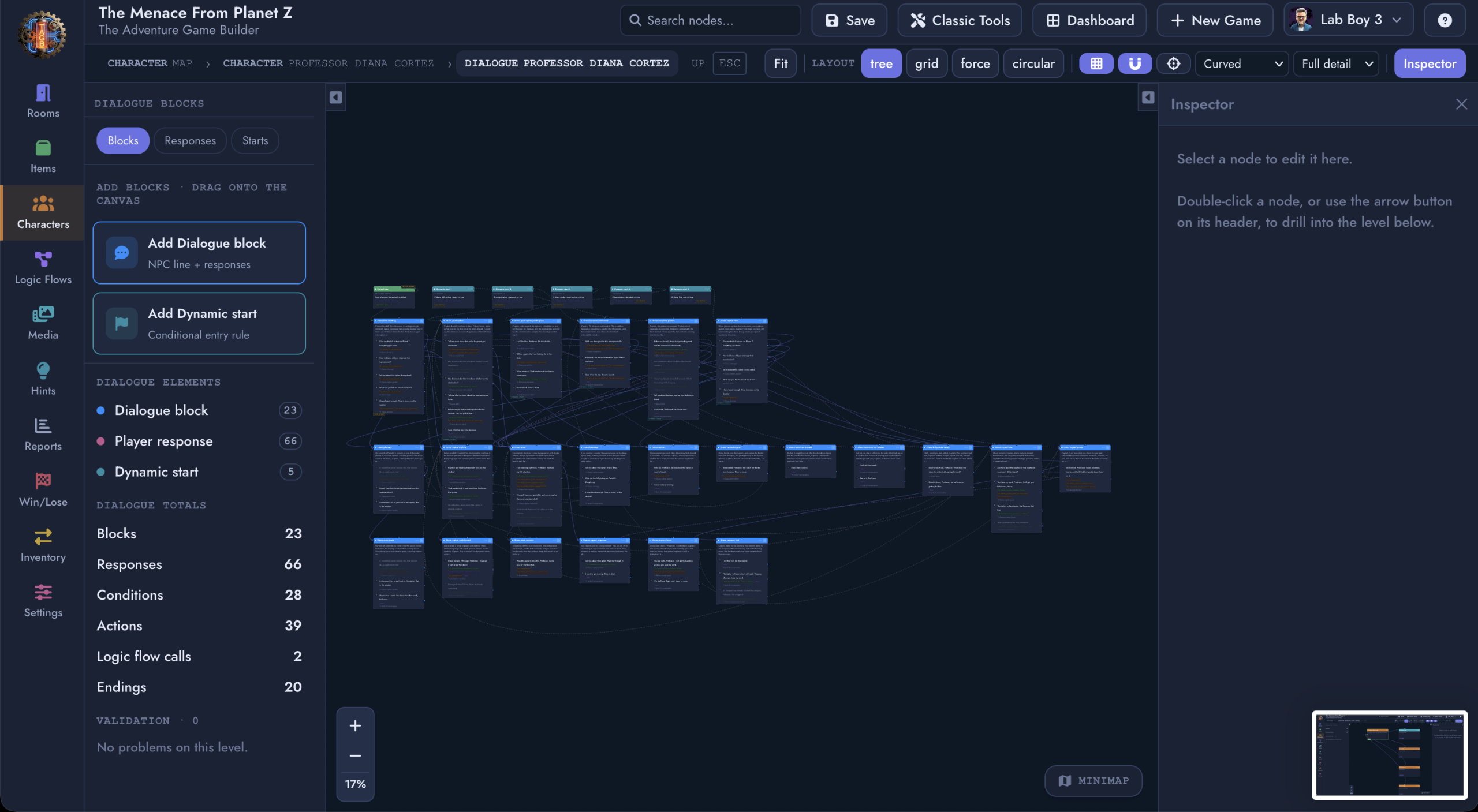
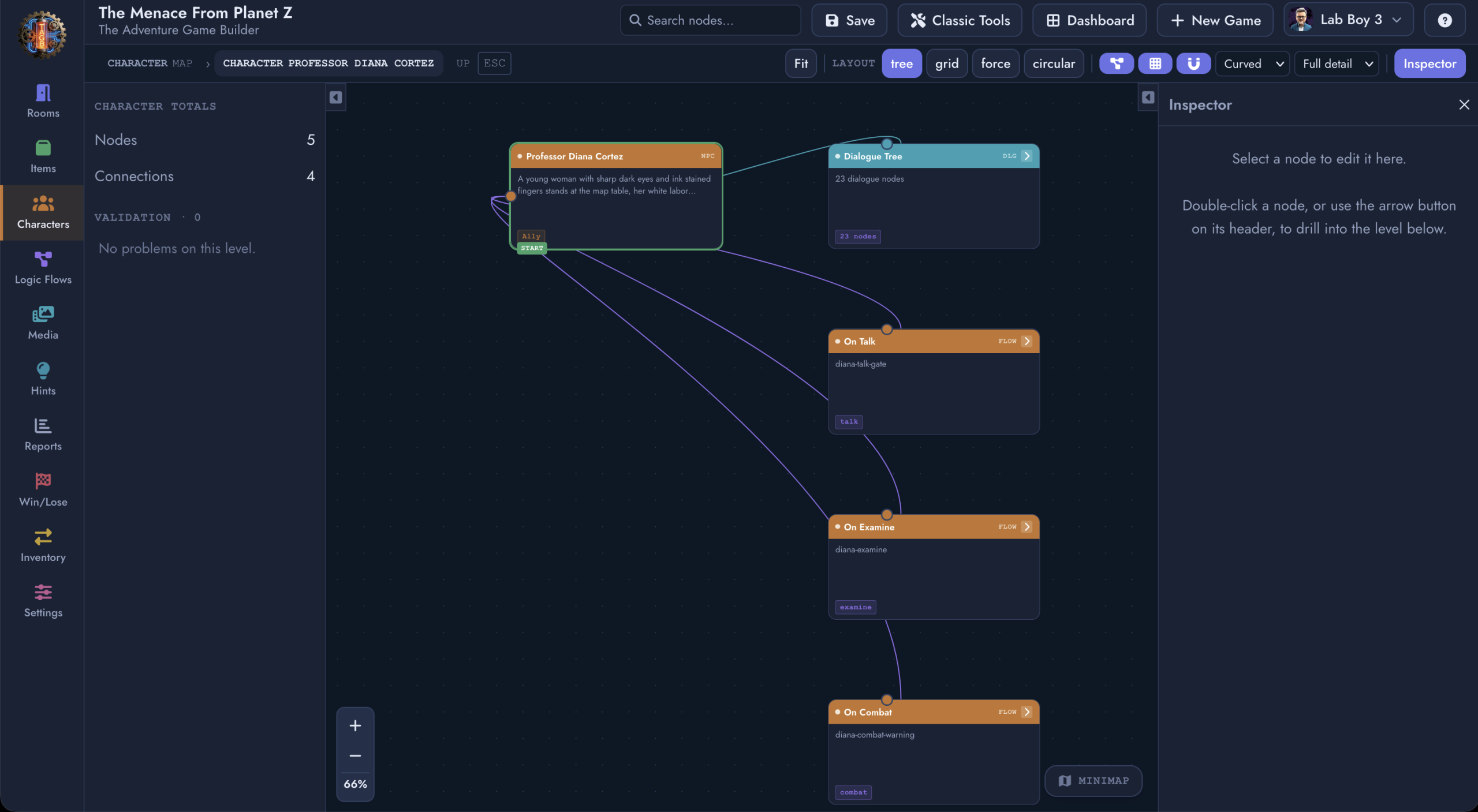
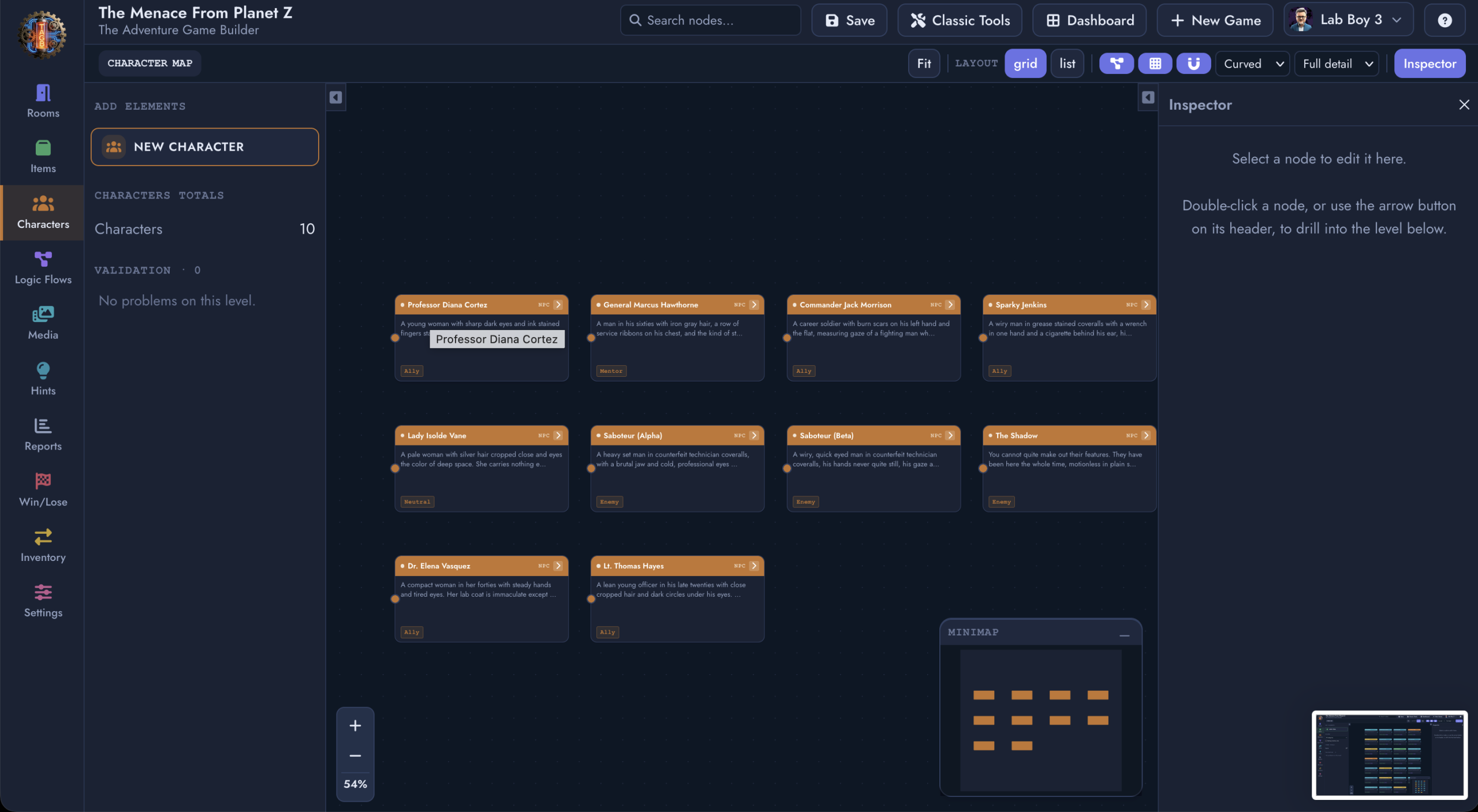
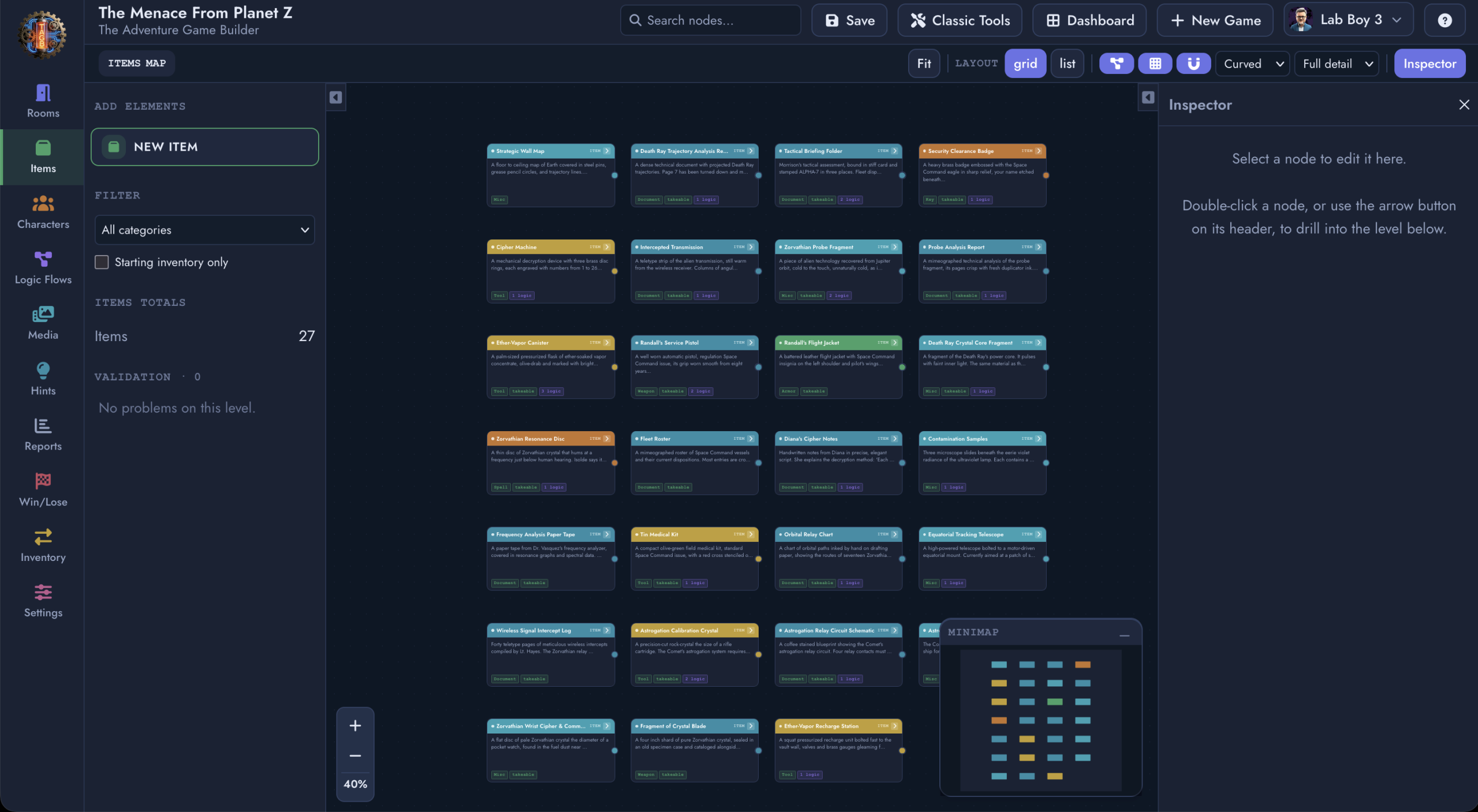
It’s a node-based, drag-and-drop canvas where every room, character, item, and logic flow in your game is a node, and every relationship between them is a visible connection. Drag a line between two rooms to create an exit. Attach a character to a room and watch the graph update. Drill into any node to edit its dialogue, its logic blocks, or its conditions without ever losing sight of where that piece fits into the whole.
A few things that make it more than a pretty diagram:
Multiple ways to see your world. Switch between tree, grid, force, and circular layouts depending on whether you’re mapping a linear corridor or an open hub. Zoom out for the bird’s eye view, or drop into full detail on a single room’s items, characters, and logic flows.
It respects impossible geography, on purpose. Interactive fiction has always been able to do things physical space can’t: a door that leads somewhere it geometrically shouldn’t. The canvas supports asymmetric, non-Euclidean connections natively, and flags them clearly in the UI so you always know when a passage is one-way by design rather than by accident.
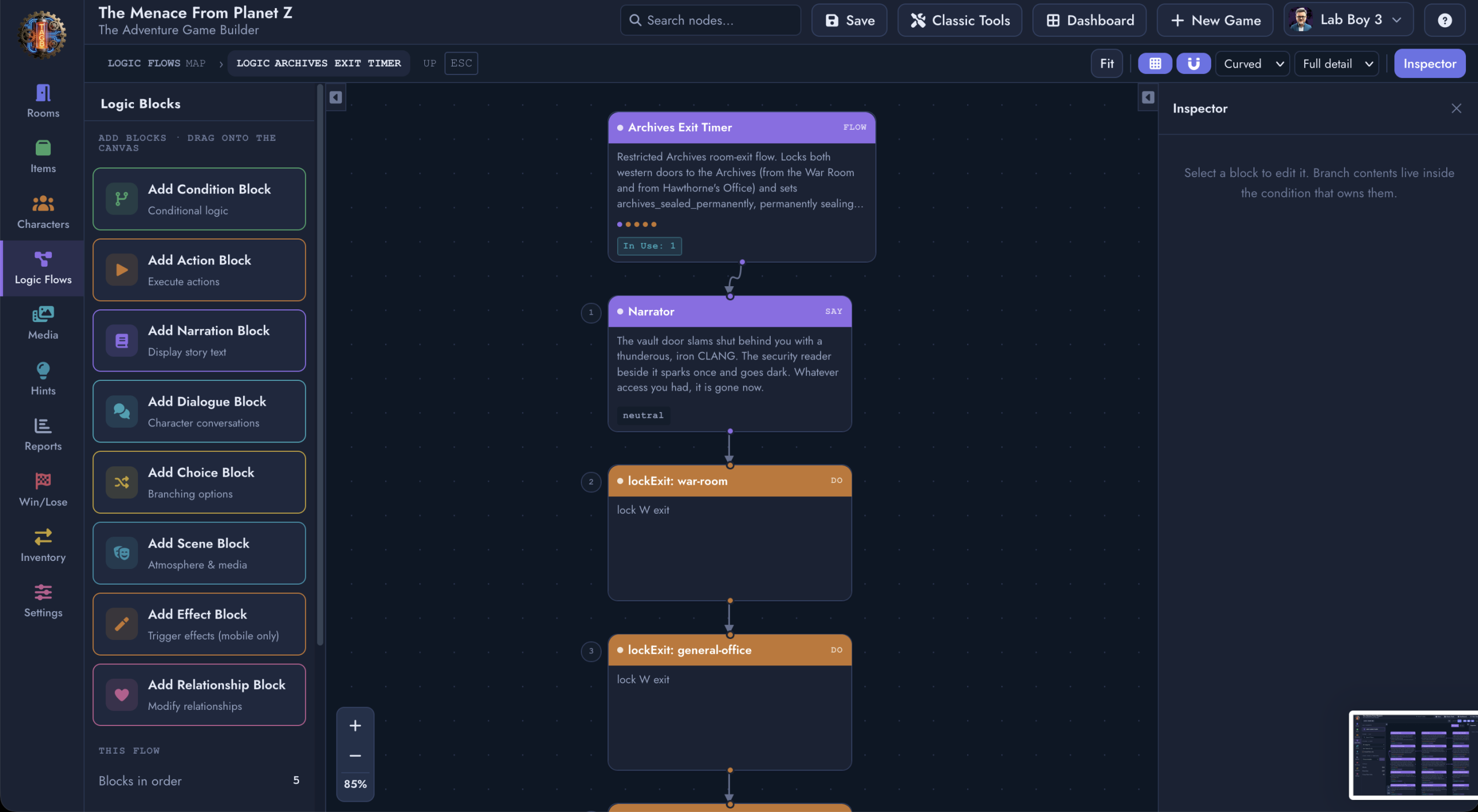
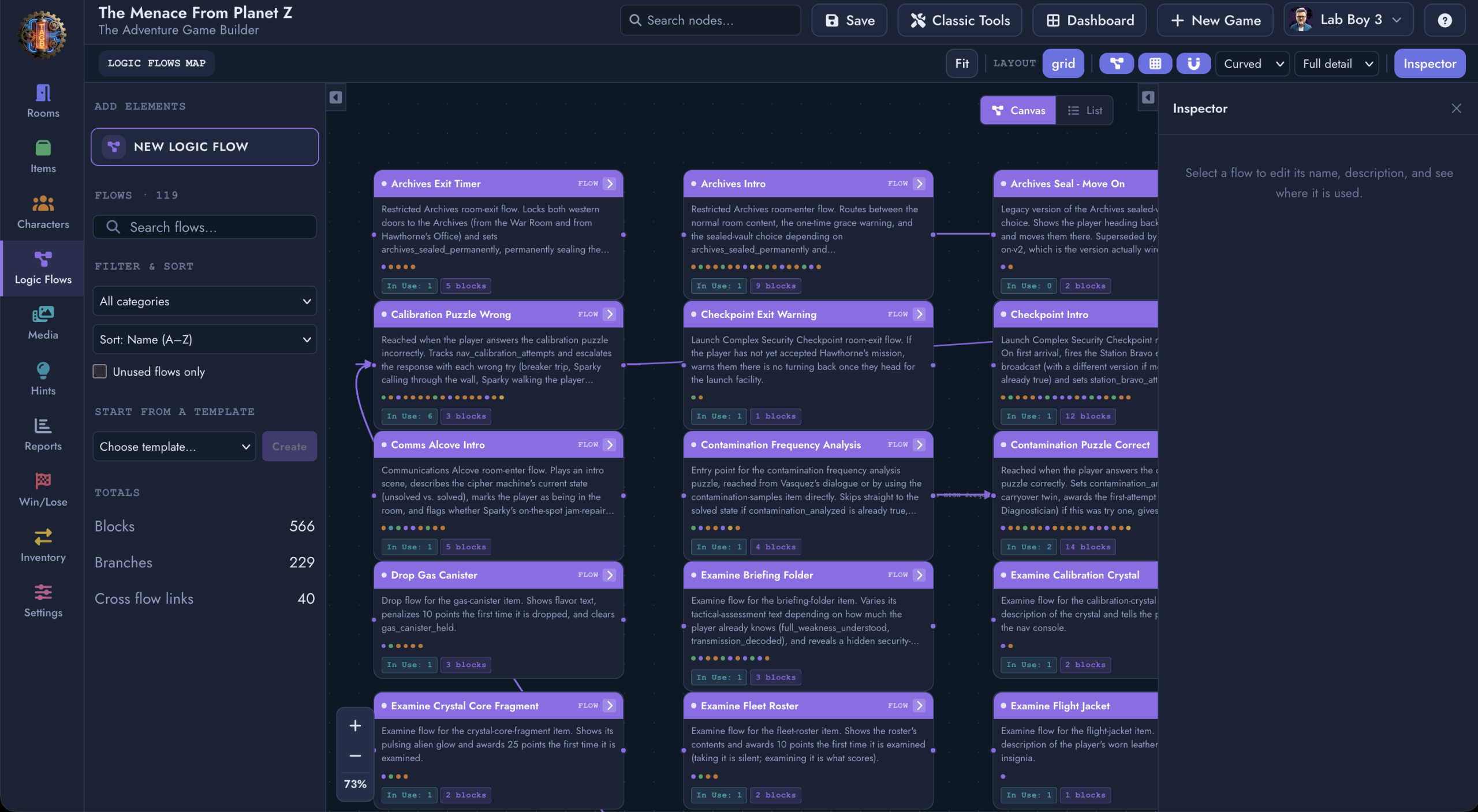
Logic flows are visual too. Branching dialogue, conditional blocks, action sequences, and scene triggers all render as connected node chains you can trace step by step, instead of buried settings you have to hunt for.
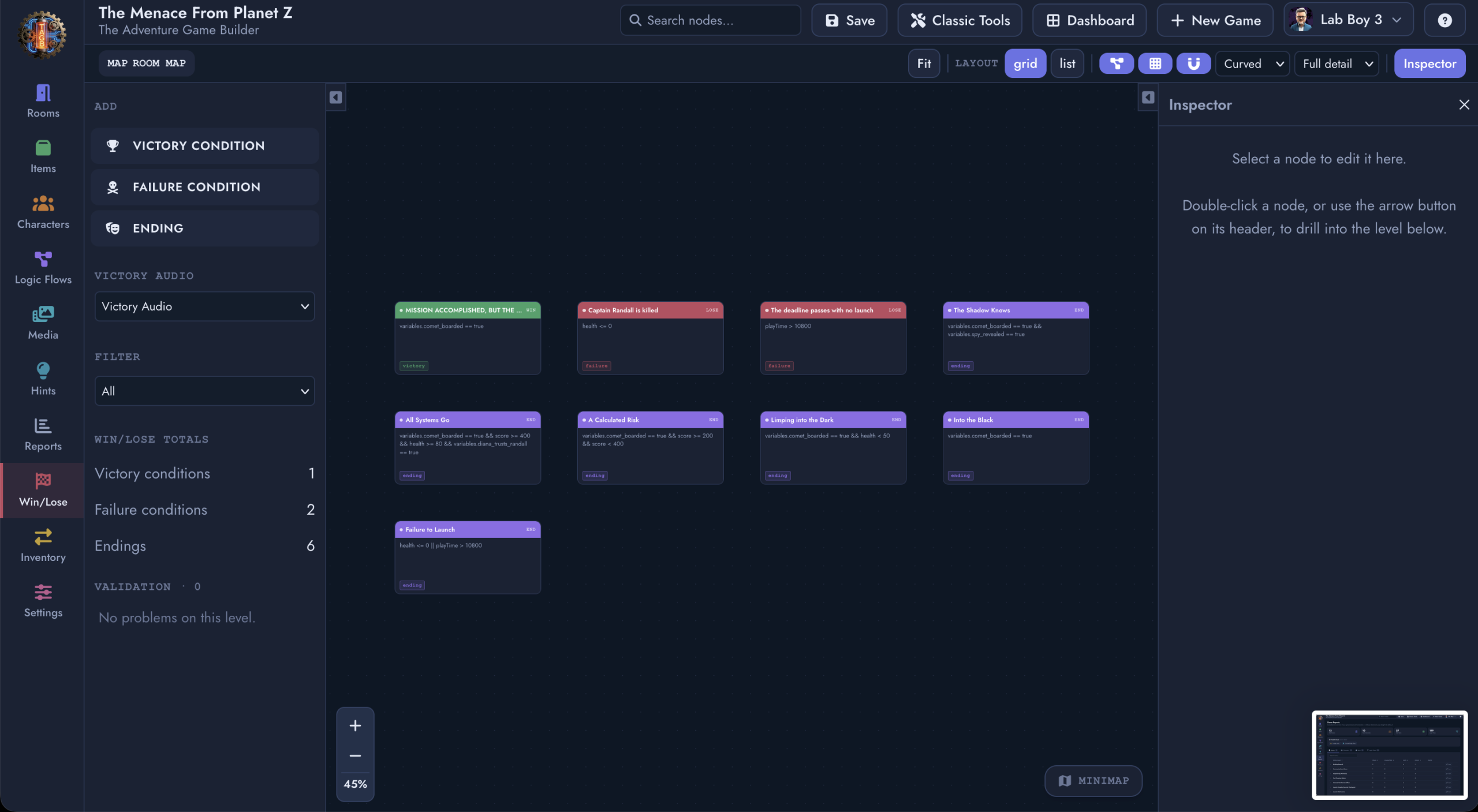
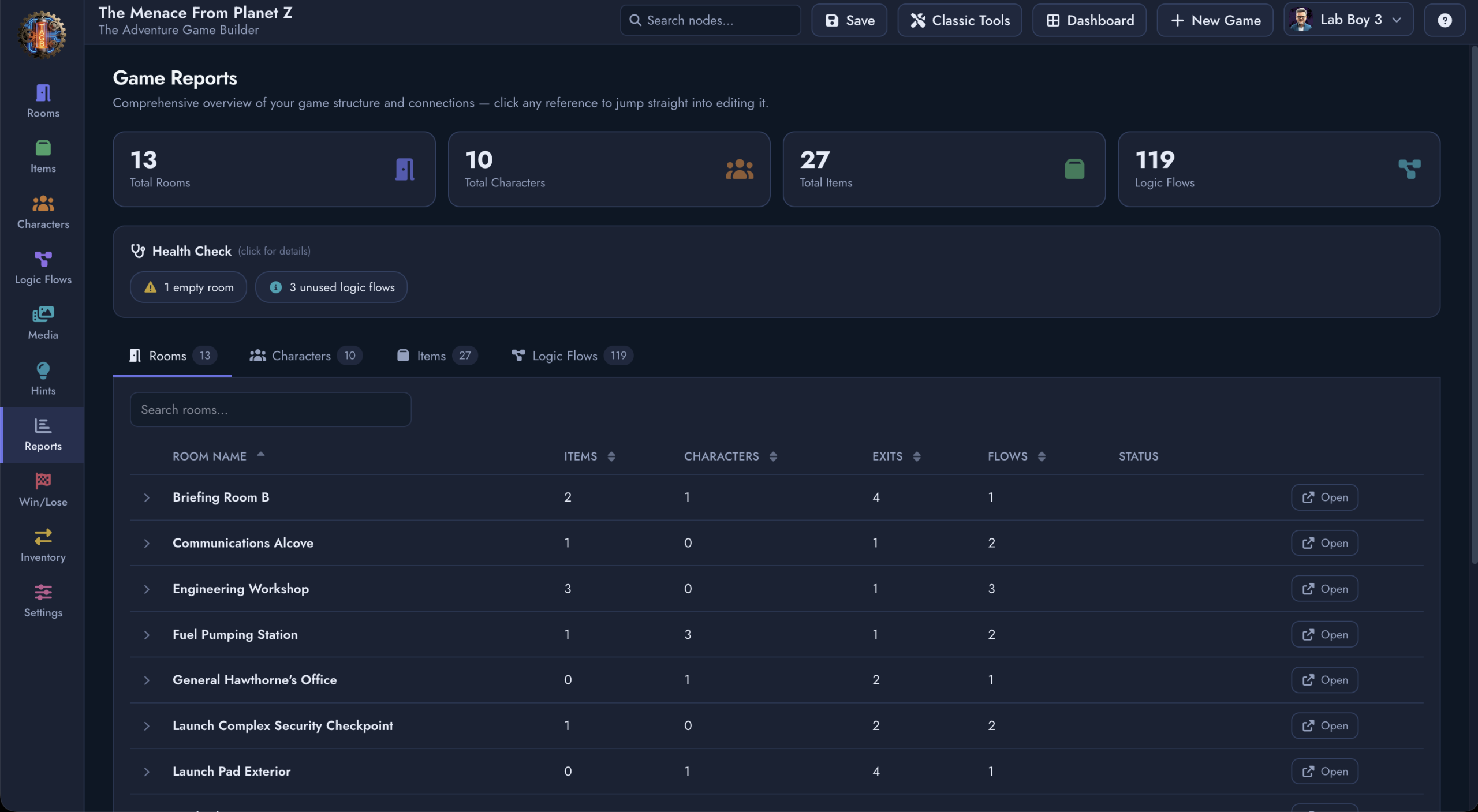
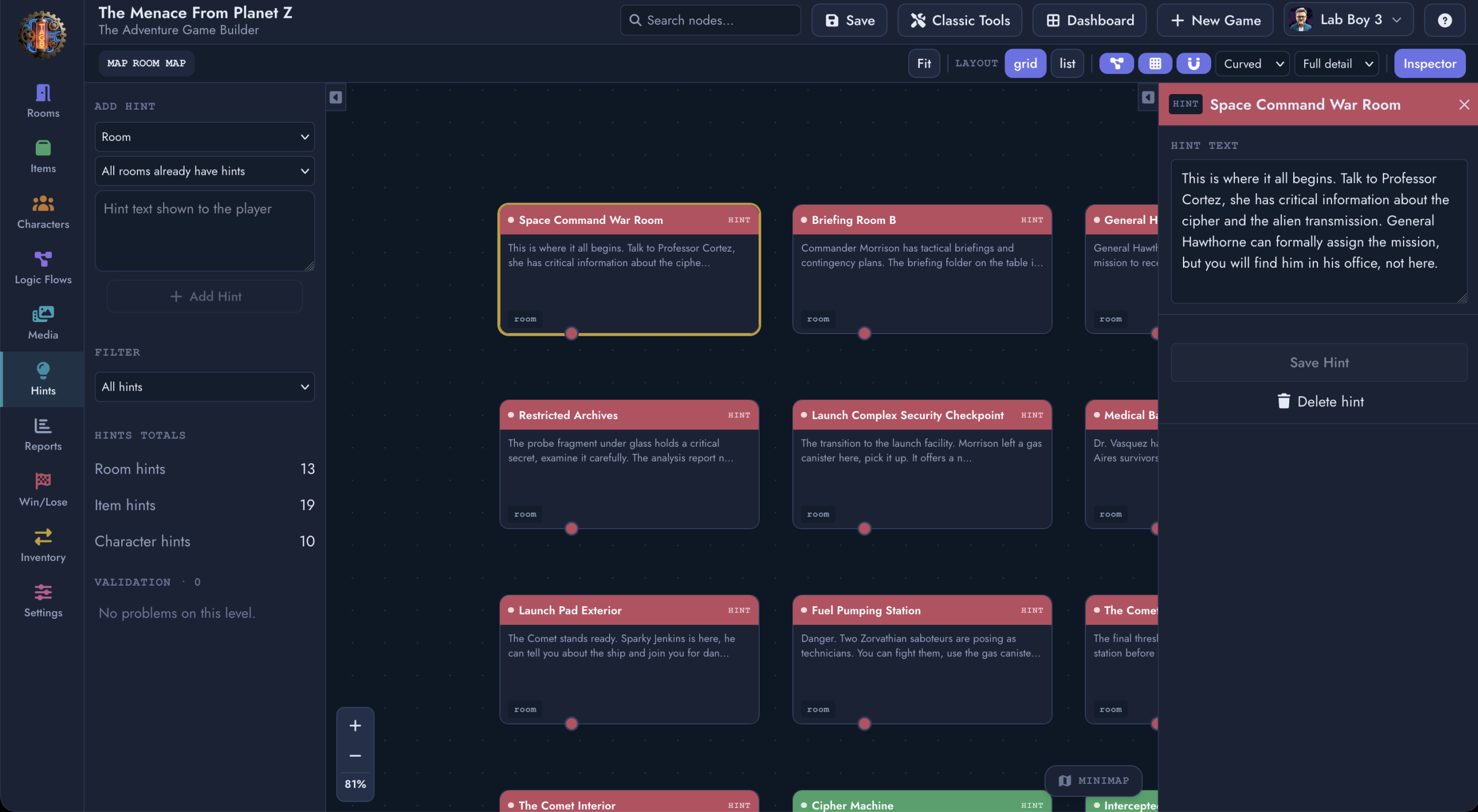
It’s connected to everything else you already rely on. Reports, Hints, Win/Lose conditions, and Media all live one click away from the canvas, so auditing your game’s structure and polishing the player experience happen in the same place you build it.
Classic Tools: The Form-Based Builder, Now With a Name
The original form-based build experience isn’t going anywhere. It’s just getting a name that reflects what it’s become: Classic Tools.
Some puzzles and some workflows are still fastest to build field by field, and plenty of creators simply think that way. Classic Tools remains fully supported, fully maintained, and one click away from the canvas at all times. Think of it less as a legacy mode and more as a second lens on the same game: switch to the Visual Canvas Builder to see how everything connects, switch to Classic Tools when you want to get precise with a single node. Your game data is shared between both, so nothing is locked to one view.
Built for the Next Phase
The Visual Canvas Builder and the Classic Tools split aren’t isolated features. They’re the interface v2.0 Beta needed: a platform that scales from a single-room prototype to a sprawling, multi-chapter world without ever asking you to lose track of the whole picture.
Mobile export, licensing infrastructure, and the Studio Portal are all built on the same foundation, so what you design on the canvas is exactly what ships to your players, on the web today and to iOS and Android as mobile export continues to roll out.
Get Access
The Adventure Game Builder v2.0 Beta, including the Visual Canvas Builder and Classic Tools, is rolling out now to our design partners. If you’re already building with us, look for the new Rooms, Characters, Items, and Logic Flows maps to start exploring your world as a graph for the first time.
If you’re not yet a design partner, applications are open. Design partners get early access to releases like this one, direct input into what we build next, and a seat at the table as the platform grows. Apply to become a design partner to get your hands on v2.0 Beta.
The story is still just beginning.